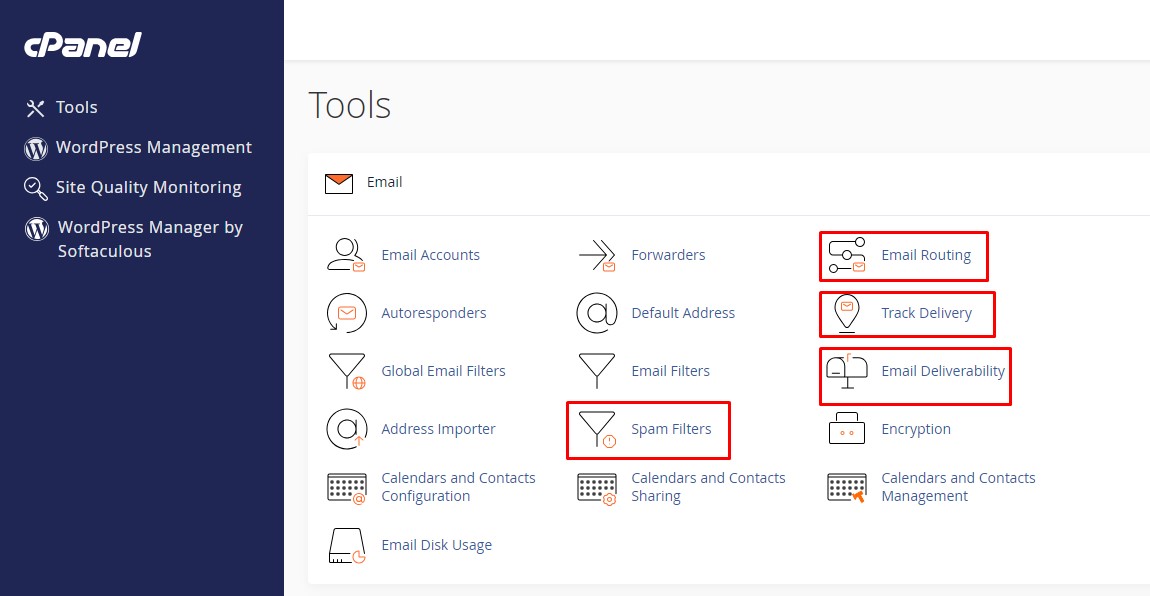
Important cPanel mail settings to consider:
- Spam Filters, it's the Spam Assassin spam filter
- Marks email subjects with
** SPAM **. - Process New Emails and Mark them as Spam: On
- Spam Threshold Score: default 5
- Automatically Delete New Spam (Auto-Delete): Off
- Spam Box
- Only per email account and for IMAP only
- If enabled, it sends spam email in a Junk folder
- Webmail > Settings > Folders > Toggle Junk button
- Marks email subjects with
- Email Routing
- Use Local Mail Exchanger if the server itself serves the domain's emails.
- Use Remote Mail Exchanger if the domain's emails are hosted elsewhere.
- Track Delivery
- Debug the delivery of specific email messages
- Email deliverability
- Setup SPF, DKIM and DMARC settings